
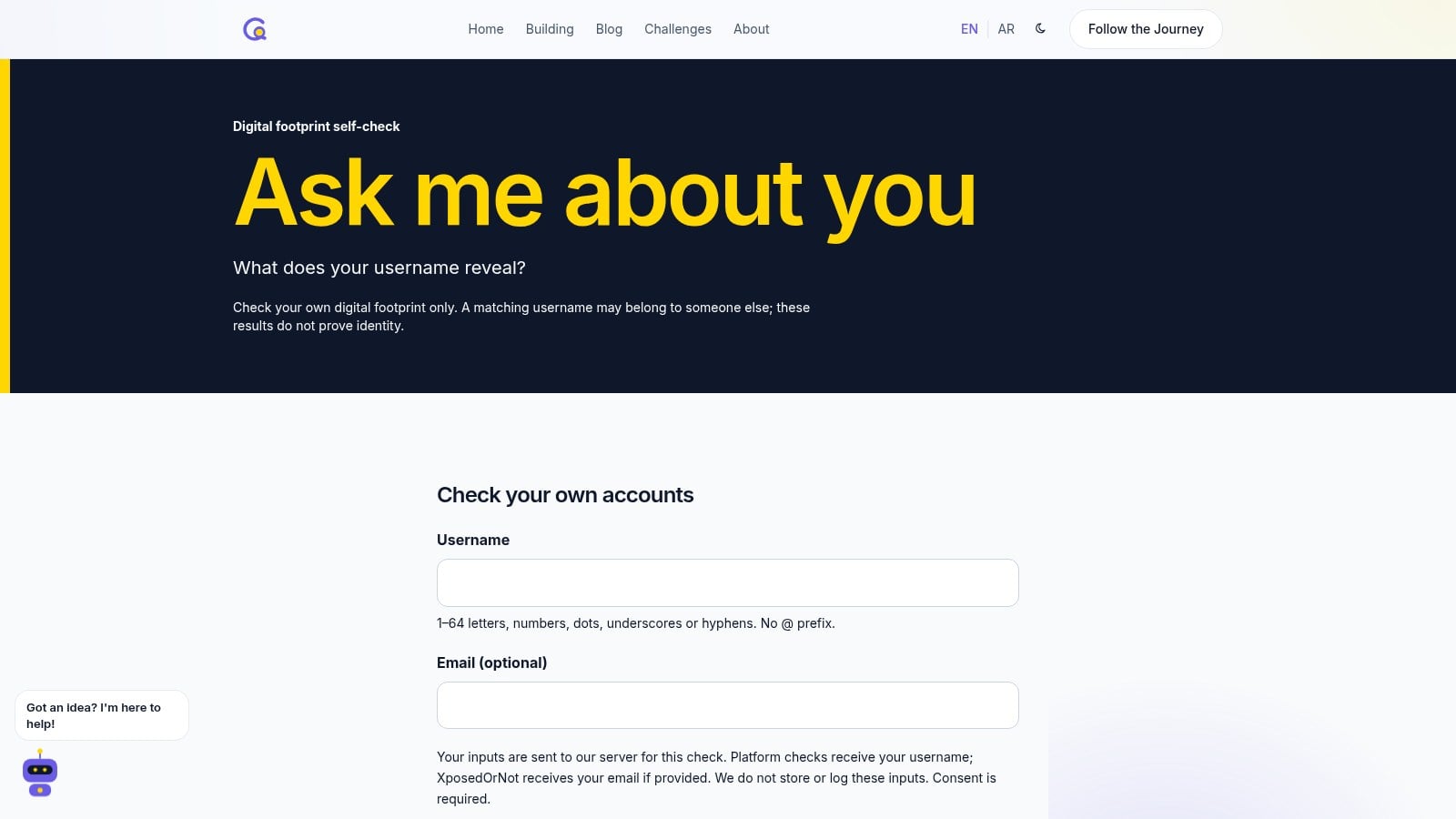
Build log: why I deleted the demo version of “Ask me about you” and built a real self-check
4 min read
The story of my site's digital-footprint page: it began as an educational simulation with a fabricated file, then I replaced it with a real check of your own accounts only, with three honest states: found, not found, and could not verify.
My site has a page called "Ask me about you." The idea is simple: what shows up about you online from a single username? But the page live today is not the first version. I deleted the first version entirely. This log explains why, and how the current version was built.
Version one: an educational simulation
The first idea was a shock-value awareness demo. A visitor typed their first name, optionally picked a photo of their face, and after a short "analysis" beat, cards appeared that looked like a file on them: interests, habits, likely active hours, and a "probability" score.
All of it was fabricated, built only from the typed name, with clear labels saying it was an "educational simulation." The photo never left the visitor's device; it was a local preview only, never uploaded to any server.
Why I deleted it
Because a simulation, however clearly labeled, still shows visitors information and numbers with no basis. That conflicts with a rule I follow on this site: no fabricated data and no claims without a source.
So the decision was: remove the fake demo completely and build a real tool with clear limits. No photo uploads, and no name-based searches for other people.
Version two: a real self-check
The page now asks for three things:
- A username, required: 1 to 64 characters using English letters, numbers, dots, hyphens or underscores.
- An email, optional.
- Explicit consent: a checkbox that reads "I'm checking my own data." Without it the check does not start, and the server itself rejects the request if consent is missing.
Then two checks run on the server in parallel.
Username check across 56 platforms
The detection rules come from WhatsMyName, an open project maintained by Micah Hoffman and published under the Creative Commons Attribution-ShareAlike 4.0 license. I picked a subset of 56 platforms from it, including X, Instagram, TikTok, Snapchat, YouTube and GitHub, and the subset is stored in the site repository, so no dataset is downloaded at runtime.
Each platform has a check URL, a string that signals an existing account, and a string that signals a missing one. The server checks ten platforms at a time, with a five-second timeout per request.
Three honest states
This is the most important decision in the whole tool. Each platform gets one of three results:
- Found: only when the platform's response matches the expected status code, contains the "account exists" string, and does not contain the "account missing" string.
- Not found: when there is explicit evidence of absence. The page explains this applies only to that URL at the time of the check.
- Could not verify: everything else, such as a timeout, the platform refusing the request, a human-verification page, or an ambiguous response.
The rule is written plainly in the code: a successful response without positive evidence stays ambiguous. In other words, the tool only says "found" when it is confident.
Every result, including "could not verify," comes with a direct link to the profile so visitors can confirm it themselves. The page also warns that a matching username may belong to someone else, and that the results do not prove who owns an account.
Email check against breach records
If the visitor adds an email, it is sent to XposedOrNot to check whether it appears in known breaches. Breach names are then matched against the service's breach catalog to show a date and domain when available. If nothing shows up, the page says plainly that this does not guarantee the email is safe. If the provider is busy or rate-limited, the page says so instead of guessing.
Search links and tips
After the report, ready-made search links appear that visitors open themselves, such as searching Google for the username or searching within specific sites, without the site collecting any results on their behalf. Then practical tips follow: review privacy settings, delete old accounts, change passwords that appeared in breaches, and turn on two-factor authentication.
Privacy: what the tool does not do
- It does not store the username or email, and does not write them to logs.
- Responses are sent with a setting that prevents caching.
- There is a rate limit of eight requests every ten minutes. The visitor's IP address itself is not kept; a hashed fingerprint of it is used for counting only, held in server memory, and removed once the window expires.
- Before the check, the page explains where data goes: platforms receive the username, and the breach-check service receives the email if one is added.
How it was built
The tool was built with an AI coding agent, Codex, starting from a written brief. The brief specified what to delete, what must not be touched elsewhere on the site, the three-state rules, the privacy limits, and the required tests.
The tests check username validation and the three-state classification against mocked responses, without touching the real network. The tool was then tried locally on my own username before going live.
What I learned
"Could not verify" is an honest answer. The easiest thing in tools like this is to paint everything green or red. The third state is less impressive, but it is the truth: some platforms block automated checks, and an honest tool says so.
Limits are part of the product. "Check yourself only" is not a legal line at the bottom of the page. It is a consent checkbox, a server-side check, and a deliberate absence of any name or photo search.
Deleting is a build decision. Deleting a version that worked and grabbed attention was harder than building it, but it is what made the page worth keeping on the site.
Try it
The tool is live on the "Ask me about you" page. Check your own accounts, and tell me what could be better.
References
- The WhatsMyName repository
- Creative Commons Attribution-ShareAlike 4.0
- XposedOrNot API documentation
Cover image: real screenshot of the "Ask me about you" tool on this site.
Abdulrahman Alshehri — Building What's Next.